Dark theme
Note
To turn on the dark theme on the home page, log in with your Yandex ID.
Enable dark theme for the home page in one of the following ways:
In Yandex ID
On the settings page
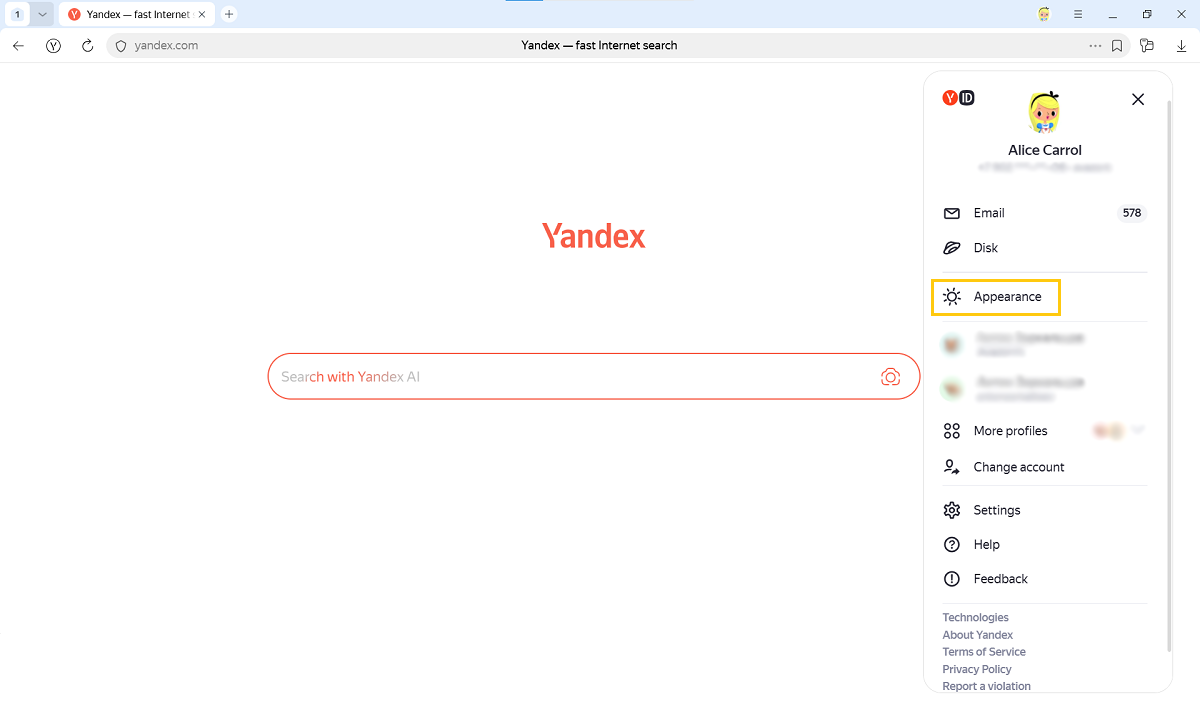
- In the upper-right corner of the page, click your profile picture.
- In the window that opens, select Appearance → Always dark.
- Go to the settings page.
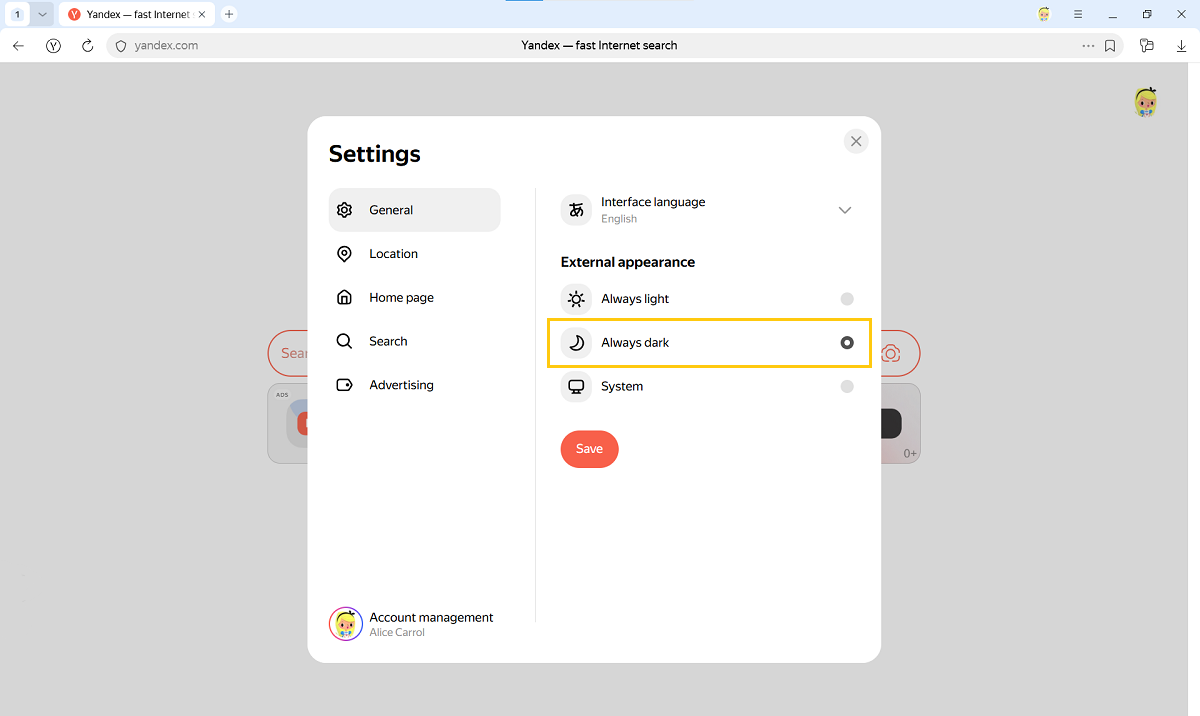
- Under General → External appearance, select Always dark.
- Click Save.
Was the article helpful?
Previous