Third-party verifier pixels
You can use pixels from third-party systems in Yandex Direct to track impressions and clicks on your ad creatives. To do this, add an impression URL and a click URL provided by the third-party system (verifier) to your ad.
Restrictions
- You can't add integrations or pixels for impressions in unified performance campaigns and "Post in messengers" reach campaigns, but you can specify a click URL from the verifier.
- In "Outdoor ads" campaigns, you can't add integrations or pixels for impressions or clicks.
To add pixels to campaigns for promo pages or geo advertising campaigns, contact your Yandex manager.
Click URL
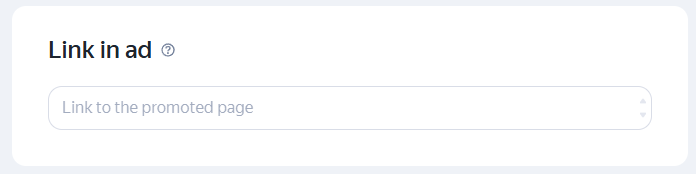
The URL is used to track clicks and redirect users to the promoted site. To start collecting data, paste the link into the Link in ad field:
Impression URL (pixel)
Yandex pixels are available by default. To add third-party pixels, contact your Yandex manager or support.
The URL (pixel) tracks ad impressions. Paste the URL into the Third-party tracking URL field at the ad level.
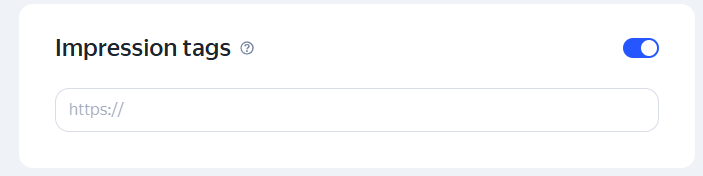
The pixel must include the %random% macro and support the HTTPS protocol.
You can add up to 4 different pixels, but you can't add 2 pixels from the same verifier.
Supported third-party verifiers for impression URLs (pixels)
- Adriver
- Adserving (don't confuse with integration)
- AppsFlyer
- Adjust
- Adloox
- Admon
- Mediahills
- Smartis
- Target Ads
- Weborama (don't confuse with integration)
- Mediascope (TNS)
Pixels available to everyone with no conditions
- Yandex Metrica for display ads
- ADFOX
- AppMetrica
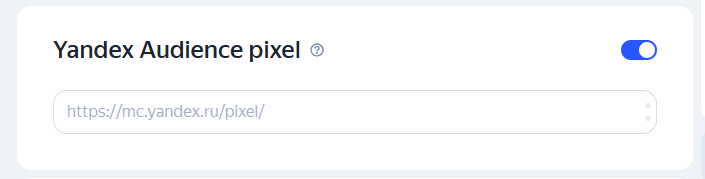
- Yandex Audience — enter this into a separate field:
Questions and answers
Which metrics are available in the verifier's system?
Check with your verifier for the list of metrics available via pixel or integration.
Can I add both an impression URL (pixel) and an integration at the same time?
Yes, you can.
Which campaign types support adding an impression URL (pixel) and an integration?
Display campaigns with auction-based placement and a fixed CPM.
Have questions?
Alert
Our customer support can only assist you with campaigns linked to the username you are contacting us from. You can check your username by opening ya.ru in another browser tab. Our team can access your data only when processing your request.
Scan the QR code or tap it to follow the link.


If you select Telegram or WhatsApp, keep in mind that Yandex does not control and is not liable for how third-party messengers store your data and chat history.