3.3. Roads
Road
category items include:
- All motorways from highways of federal significance and international highways to driveways within courtyards and village roads.
- Bike and pedestrian paths.
Roads in Yandex Map Editor are composite linear items that are not drawn on the map, but rather compiled from sections of roads, each of which is drawn individually and assigned attributes separately (for more information, see 3.3.2. Rules for adding attributes to road sections).
A road is usually a geometrically unified (connected) object. However, there are exceptions to this rule: there may be breaks in a road, or a single road may consist of several sections that are separated from each other (usually less than two kilometers apart).
For example, Flotskaya street in Moscow consists of two sections, separated by Onezhskaya and Solnechnogorskaya streets:
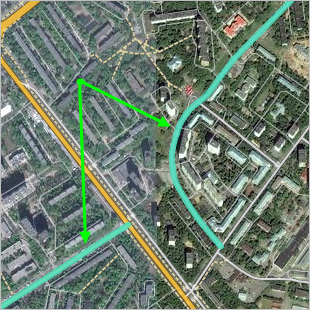
A road (street) can only include sections that are official parts of that road (street). Dead ends and passageways within courtyards or between blocks in rural localities are not officially considered parts of roads and are not mapped as part of a road (street).
The rules for drawing and adding attributes to road networks feature two related components:
-
Rules for drawing and adding attributes to road sections.
Road section is the smallest element of the road network. It may be either straight or curved and has a start and end points.
The start and end points of a road section are points where:
- Roads intersect with other roads (including those located at different levels: for example, a road on a bridge passes over another road, or a road in a tunnel run below another one).
- Roads intersect with other items (railways, rivers, etc.) or these intersections affect how the road network functions (such as at a railway crossing).
- The values of one of the characteristics (attributes) of the road section are changed (see 3.3.2. Rules for adding attributes to road sections).
For more information, see sections:
- 2.6.1.1. Simple linear items: drawing techniques, 2.8. Circular linear and polygonal items
- 3.3.1. Rules for drawing roads and road sections;
- 3.3.2. Rules for adding attributes to road sections.
Alert
Be careful when drawing roads. The road network is used to set routes, so drawing errors can lead to routing mistakes.
-
Rules for drawing and adding attributes to roads.
For more information, see sections:
Some road attributes (particularly name and class) are entered and edited when you add attributes to a road section. You can also edit the name later in the attribute panel for the road itself.
When you draw connected road sections, the start and end points of each pair (or more) of road sections form an Intersection item. Intersections are created automatically in the process of rendering road segments (blue arrows in the diagram):
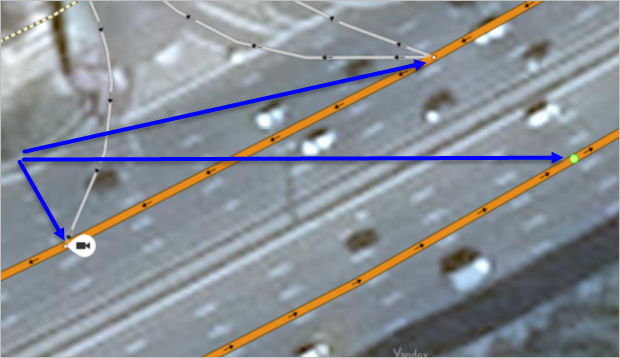
Intersections let you make certain adjustments to the road network. For more information, see Section 2.9. Crossings.
Additionally, intersections on the map may be linked with road signs, traffic lights, and speed cameras.
Some intersection items are actual traffic intersections (junctions). To correctly assign attributes to roads and road sections, you need to understand whether an intersection on the map is considered a traffic intersection (junction).
In the territory of Russia, traffic intersections (junctions) are:
-
Intersections of roads mapped as class 1–7 roads (per drawing rules), where each road exists independently rather than as sections separated from the main roadway by legal barriers.
Intersection Not an intersection 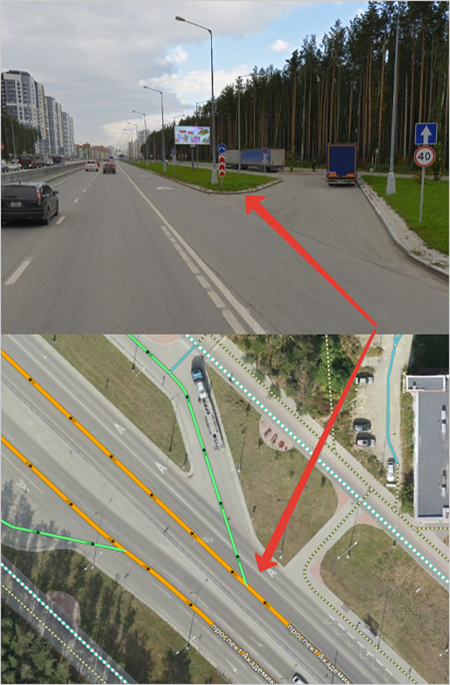
-
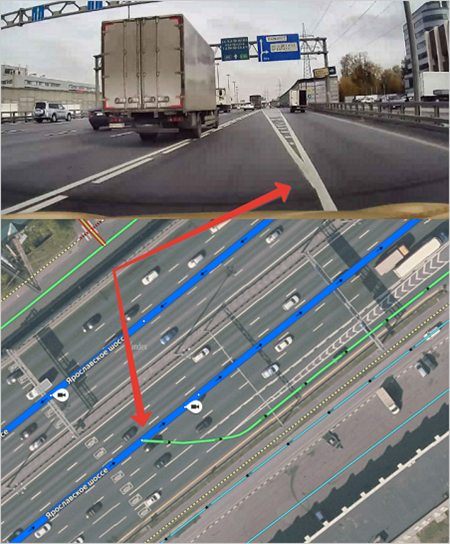
Junction points where class 1–7 ramps branch off from main roads, separated by physical dividers.
Intersection Not an intersection 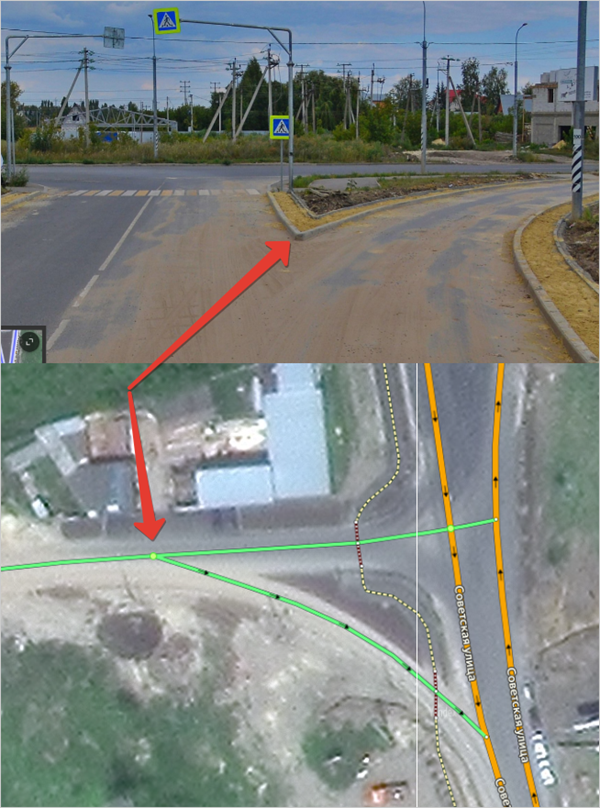
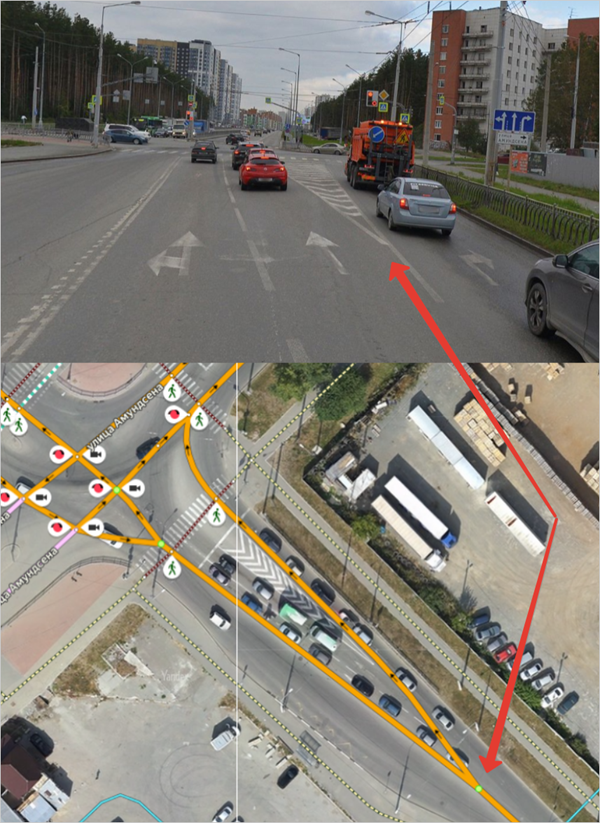
-
U-turn areas or road sections allowing U-turns within a single roadway, provided they include both a stop line and a traffic light. At the same time, the stop line and the traffic light should be located directly at the U-turn section, and oncoming traffic should be separated by a physical divider.
Intersection Not an intersection The U-turn is a separate road section between physical dividers, marked with a stop line and a traffic light.
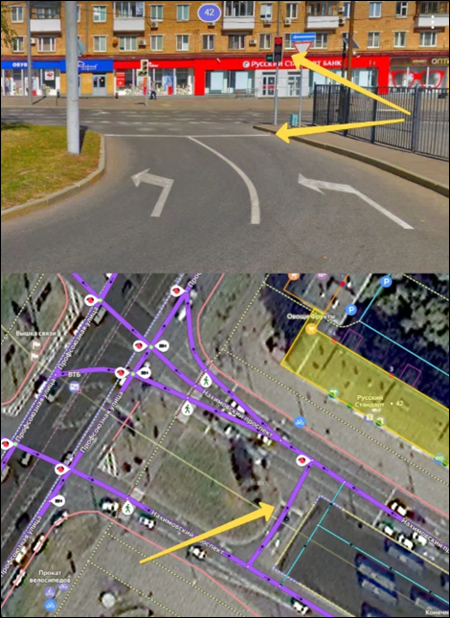
The U-turn is a separate road section between physical dividers, BUT it doesn't have a stop line or a traffic light. 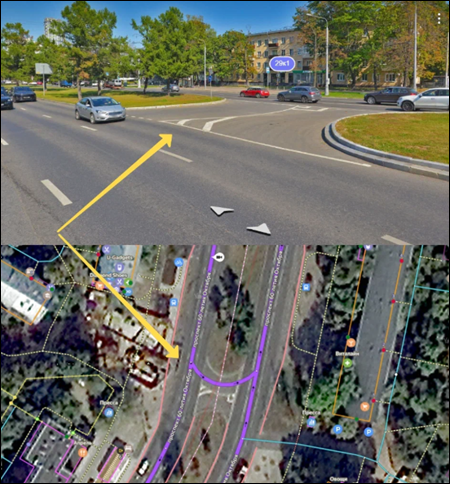
The U-turn is just a U-turn lane, not a separate road section. It's not located between physical dividers, and the stop line and traffic light are placed before it instead of directly at the U-turn. 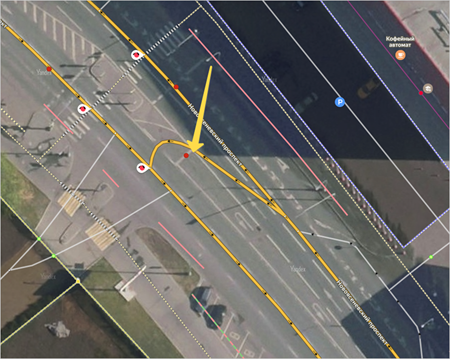
Alert
When editing the road network, make sure that roads that have already been created on the map were not deleted. Other map items may be connected to roads (especially addresses), and these connections can get destroyed if you delete those roads.
So if the shape of a road is incorrect, you should edit the existing road section (rather than deleting it and creating a new one).